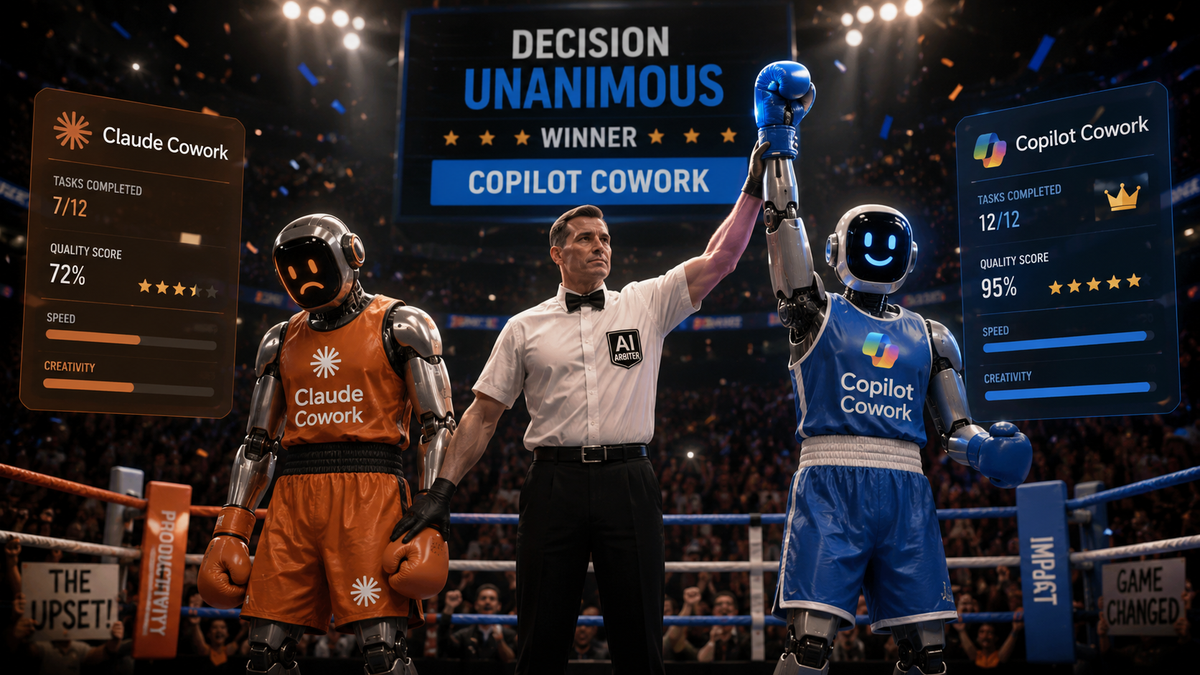
A colleague (👋) asked me to get them a Claude licence, because Copilot just wasn't working out. I'm always one to ask 'why'.. Especially now that Microsoft added in support for Anthropic models in their various Copilot Agents... I wanted to know what the issue was, and I suggested some minor tips on how to use Copilot, such as trying Copilot Cowork, working in a project, adding files for context... just as something to try instead of the default M365 Copilot chat.
Since Copilot Cowork relies on Sonnet 4.6 and Opus 4.7 - Sooo, you'd think they should be pretty similar.
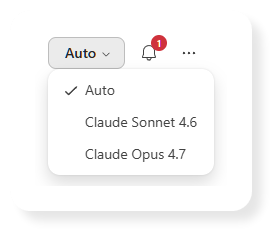
And not just Cowork, slight tangent but I love the fact that the Copilot Research (Frontier) agent is able to use a combination of Claude for the initial research pass and then GPT to review and validate. Or to run them head to head and compare the outputs. Pretty cool considering that M365 Copilot includes 'unlimited messages' and no session or weekly limits.
But that being said... I had a sneaking suspicion I'd end up assigning a Claude licence eventually anyway, you've got to believe the hype right? We shall see...
Time to eat the dog food!
So I also tried it out for myself, I asked Copilot Cowork and Claude Cowork the exact same question.
Firstly, here's some background to help you understand the prompt I used - also please don't rate my prompt, it wasn't highly thought out, I didn't use AI to refine it before sending either, calm down. It's a real prompt that only after sending, did I consider running through Copilot at the same time.
In fact you could say that my prompt was rough on purpose, just so I could also test a follow-up message to re-focus the output. You could say that, and I could say that.. so I will. 😅
Context
This all comes from trying to optimise how I use AI for coding, in two main areas:
- Spec-driven development - ensure plans are complete and robust before implementing.
- Agent Harnesses - splitting up work, orchestrating sub-agents, background tasks, continuation, todo-list enforcement, and so on.
I've used 'oh-my-openagent' before (when it was called 'oh-my-opencode'). I had some success, but found that increased complexity of my plans, being too thorough than it needed in most cases. The overhead of having multiple agents I could use for the same thing. Although, in hindsight, having to think when I want to switch between planning and implementation actually helped me, but I wasn't ready then.
Ultimately, I'm guessing this was down to my inexperience using such a tool, I was learning what didn't work faster than figuring out what did. Brilliant for beginning a new project (something I do often), terrible at finishing a project or edits and updates. That shouldn't really be pinned all on oh-my-openagent.
After a while I found that ditching it, and reverting to the default 'build/plan' agents felt more agile, snappier, but without the overhead.
Then I found OpenSpec, which is when I actually learnt the difference between the spec-driven development and agent harnesses and orchestration, something that oh-my-openagent spans across both areas.
With OpenSpec, I was able to design > plan, and then start implementing when ready in a far more structured way than just using the Plan agent. But then I lost the ability to delegate, run background tasks, and have different agents with their own prompts and models.
I've learnt a lot, and now I'm eager to figure out how to get the best from the latest and greatest tools and plugins again. Or perhaps go running back to oh-my-openagent and beg for forgiveness and try again.
Right, that's you all caught up. Let's go!
The mission, should you choose to accept it.
Here's the prompt I fed into Claude Cowork, and Copilot Cowork.
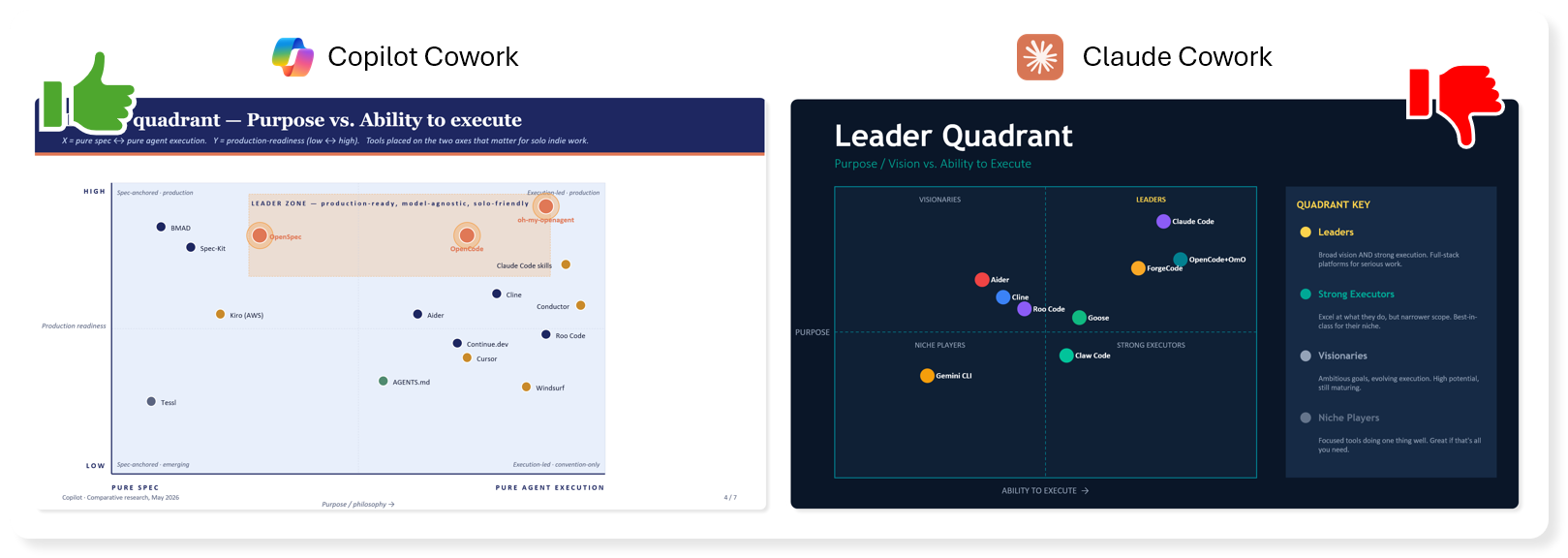
See what alternatives you can find to openspec / oh-my-opencode (I think they're now called oh-my-openagent), and compare them in terms of simplicity, ability to execute, which models they work best with overall (and specific use cases). Do a full on comparative and contrastive research. Create a high level infographic with leader quadrant, distinguish the purpose vs ability to achieve separately. And then also a separate slide for my use-case.. indy development, single-person-vibe-coding-dev, production apps and tools, coherent framework, multiple ideas to switch between and keep track of both within a project and across multiple separate projects.
My First Reaction
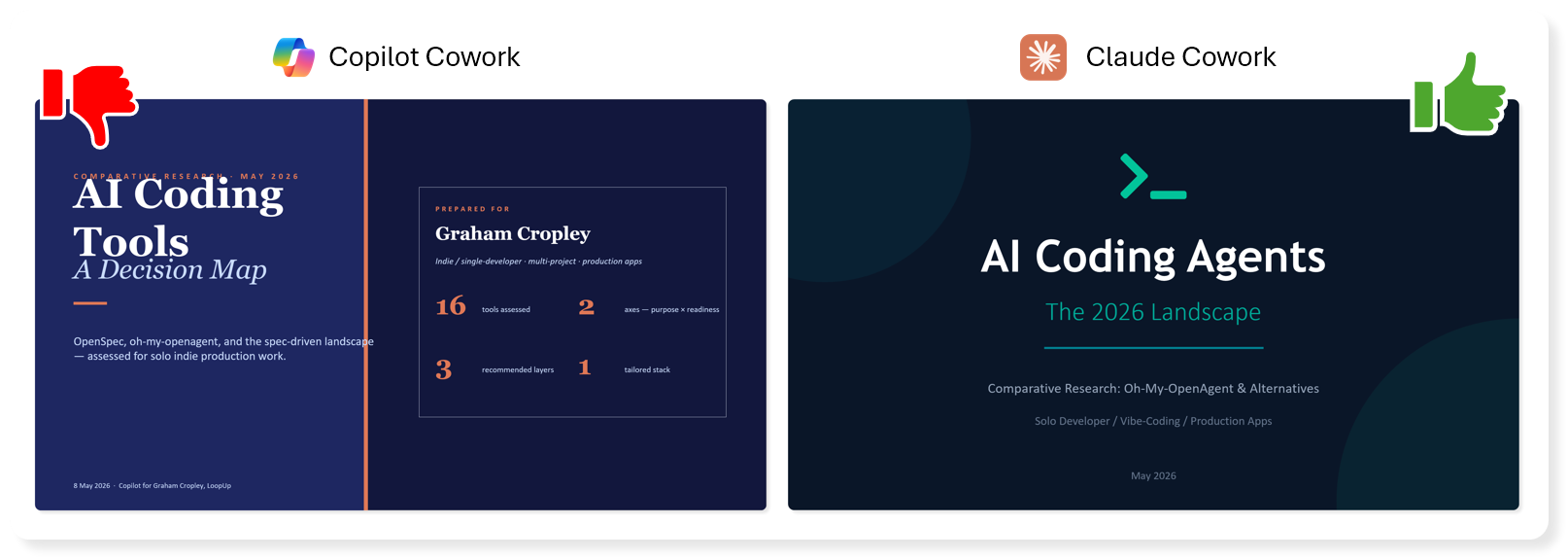
Let's go slide by slide and give it a first pass thumbs up or thumbs down. Under each side-by-side image I'll explain why.
Intro Slide
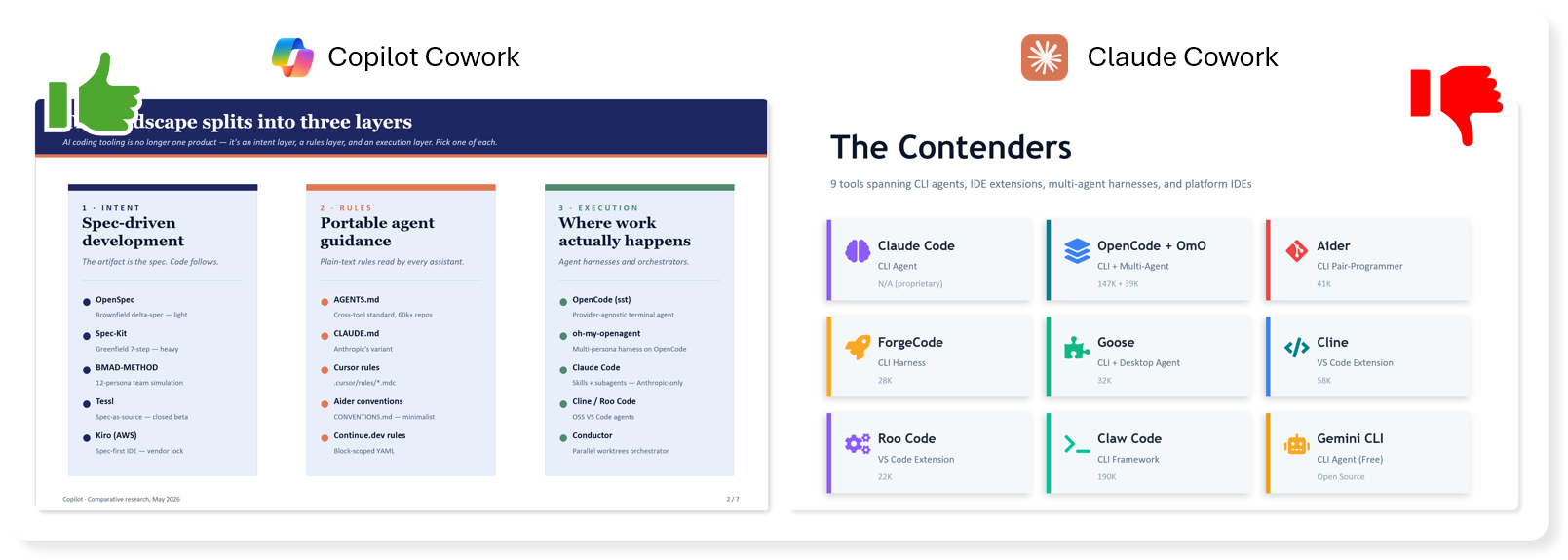
Landscape / Contenders
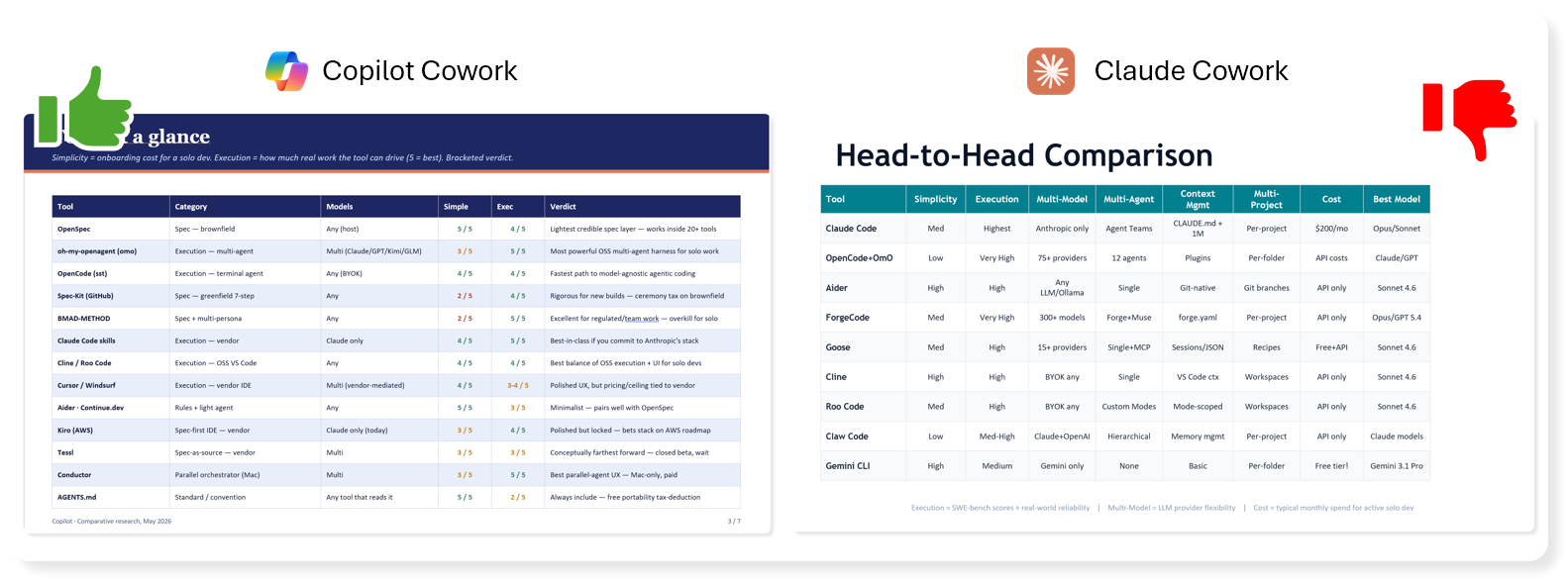
Head to Head Table
Quadrant Comparisons
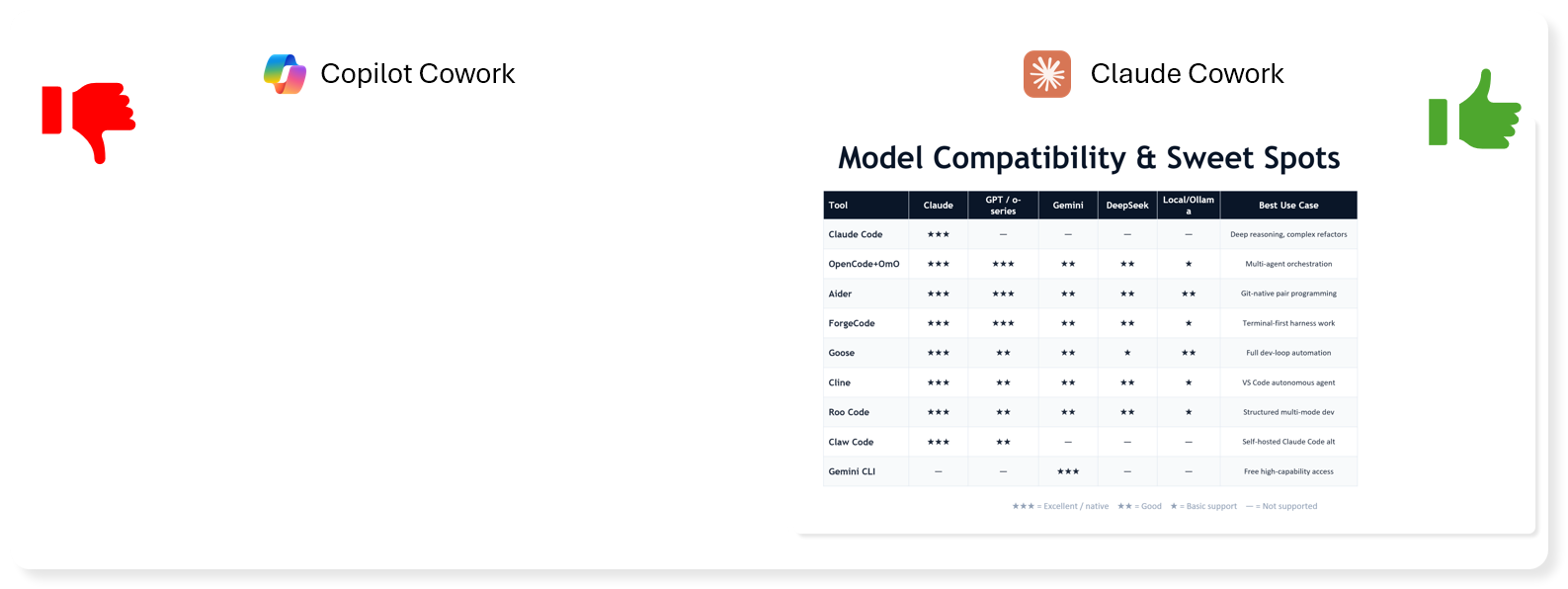
Model Suitability
Recap Slide
Fit Check
Final Slide
Both could be better...
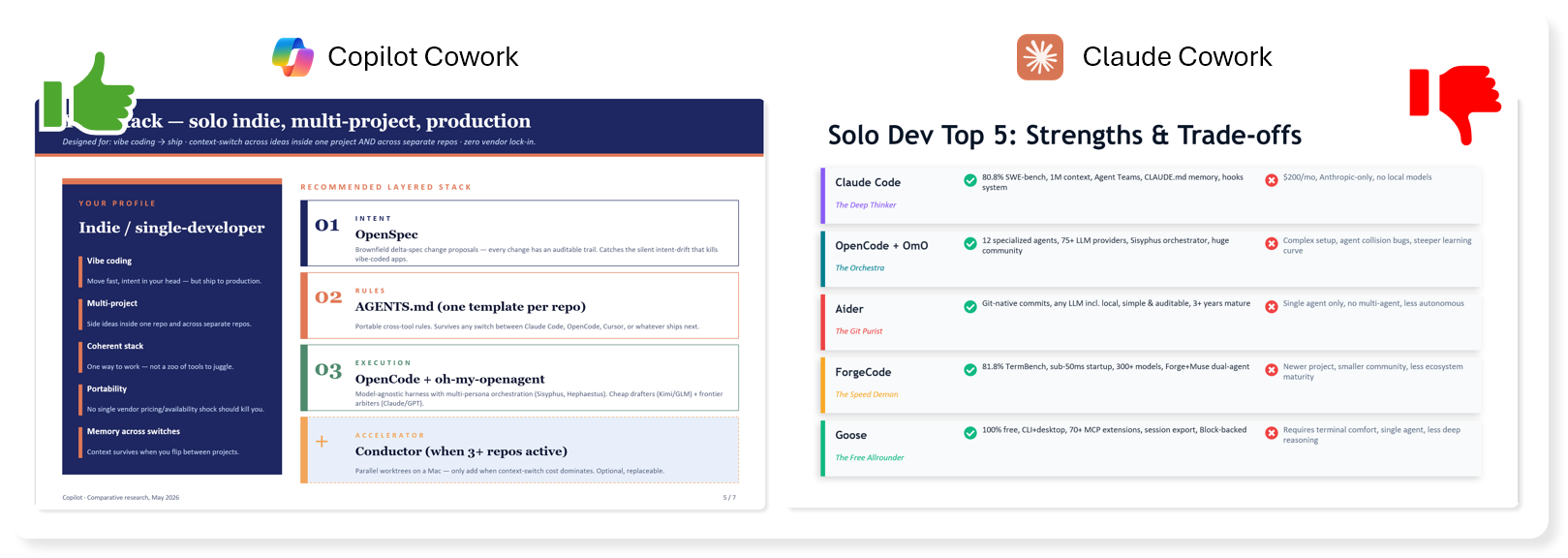
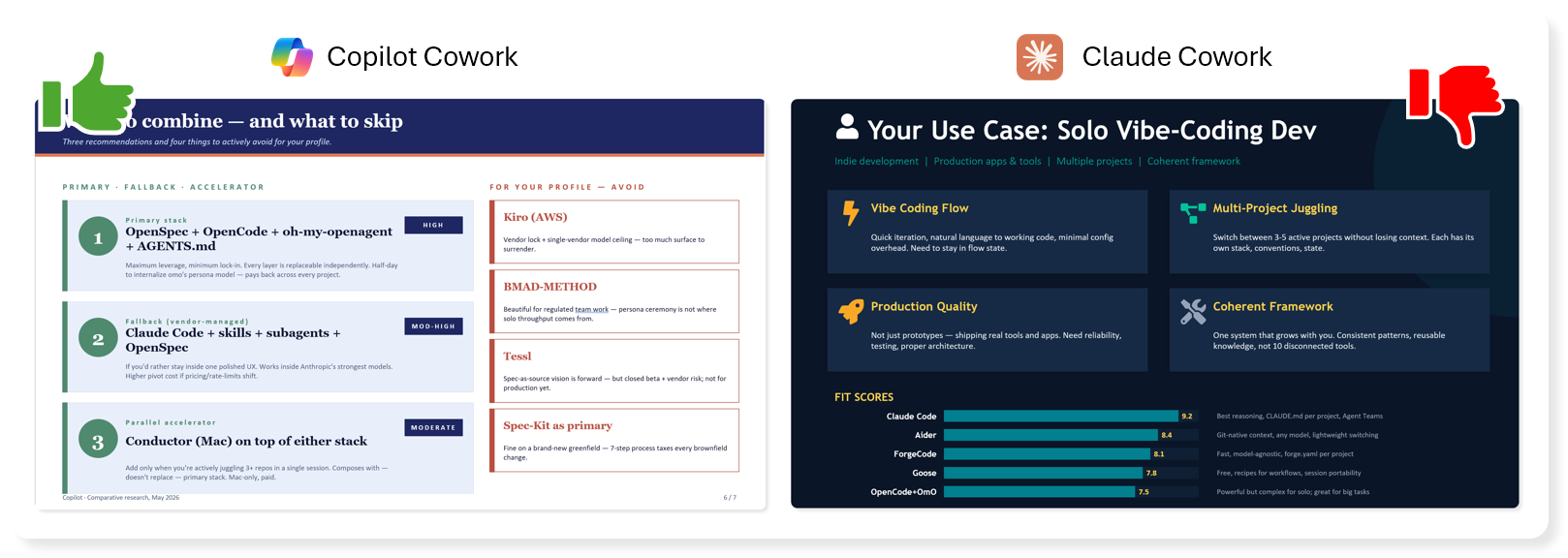
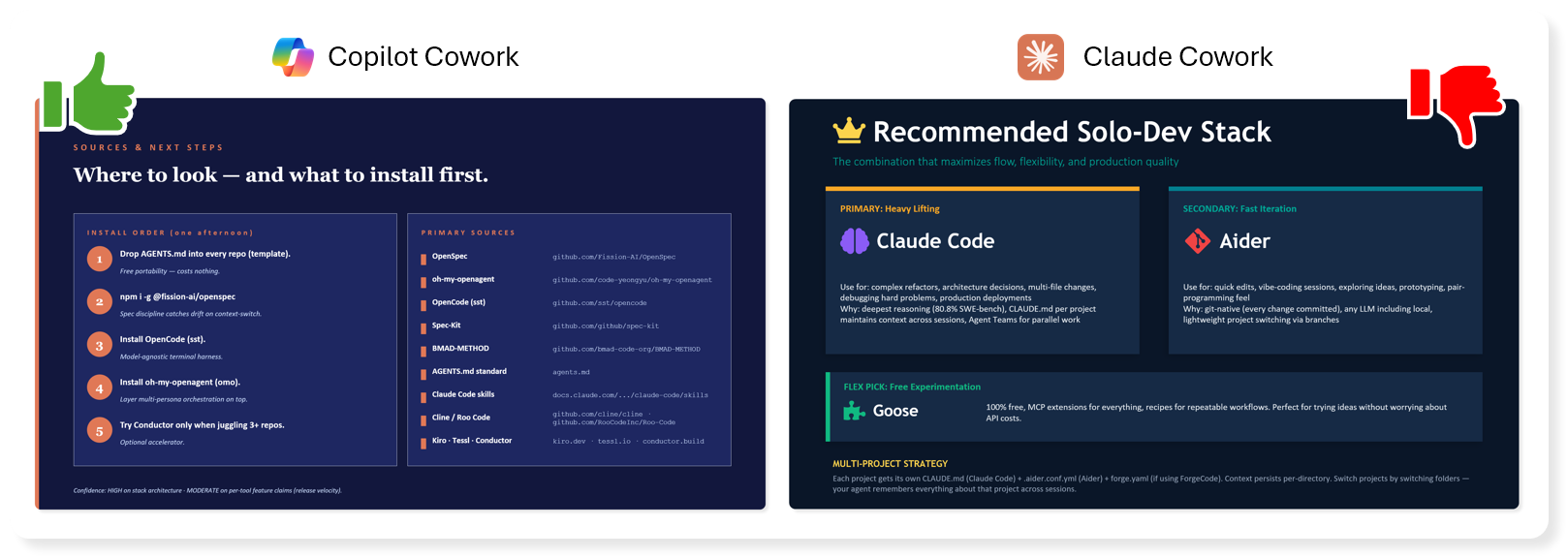
It's kind of unfair to fully judge based on both of them not quite grasping the intent behind my prompt, although Copilot was closer and stayed on track delivering an answer with actionable next steps.. Claude told me to use 3 different clients, and didn't mention any specific tools for spec-design or agent harness in it's recommendation.
Second Chance
Right, let's get this back on track (to continue the race metaphor), I'll try harder to explain myself to the AI this time...
Considering I was asking about the agent hierarchy/structure of plugins like the ones I mentioned, and not looking to compare the open or vendor-specific CLI coding clients themselves (I accept that they do have default build/plan agents included so that does kind of count). Let's be more specific about openspec (as a plugin used within OpenCode), and oh-my-openagent (also as a plugin within OpenCode).. what other plugins / sidecar tools aim to overcome the same problems that those two are built for.
They both whurred away for a few minutes, interestingly Claude hit it's context limit and ran a compaction 😦.. Copilot didn't, or at least it didn't show it.
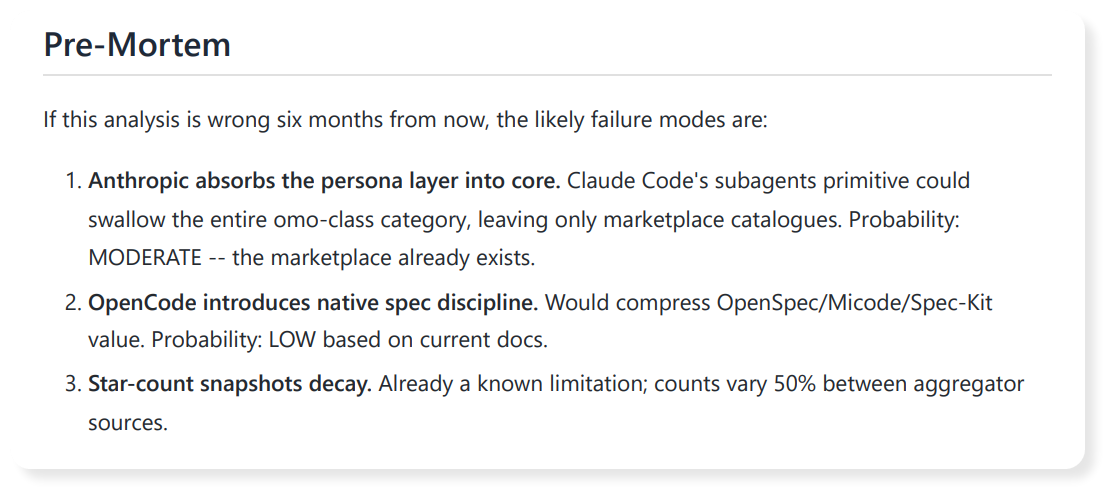
They both created a new deck. But it's worth noting some rather exciting 'emergent behaviour', Copilot had automatically created a report alongside the presentation, that included more detailed research and cited sources. Claude didn't do that. Sure, it spaffed out some text in the chat, but so did Copilot. So that's yet another win for Copilot. I'll be honest, I wasn't expecting that, but I like it, it tickled me in a way I've not felt for a while. It gave me the ability to look deeper, even including a post-mortem highlighting what could happen in the next 6 months that would invalidate or change it's recommendations, without me even hinting at it.
Calling You Out! Yes You!
I spent most of this article looking at the initial 'one-shot' output based on my first prompt, I thought it was interesting how the initial look & style of Claude made it look more polished and reliable. But that very quickly fell apart upon reading.
Let's pause for a second, there's a big issue there, it's nothing new generally speaking, but AI has caused this problem to explode exponentially.
This is my most troubling grievance with the proliferation of AI tools for all levels of people in an organisation.
Are you on the edge of your seat? Shall I just tell you? Is this lead up tantalising?

Alright...
The problem is... the effort required for one person to have an idea or question, open up Claude, ask it to generate some sort of deck or report. Then they get excited because the output looks decent, don't fully read it, and they share it to a team of people. It's taken them a maybe 1-5 minutes of effort on their part? Depending on how fast they can type...

The poor recipients have to spend ages reading, digesting, check facts, following the logic, skip over the hallucinations and bias. And then bear the brunt of the fallout when they have to carefully articulate why it's a mile wide, but only an inch deep. All show and no substance. Especially when it's a technical subject matter, and worse when it's a rapidly evolving one like AI.
If you feel called out, it's ok, don't beat yourself up, it's not personal, this tech is new to everybody... but please... please... read what it gives you and challenge it... "Are you sure?", "What are your sources?", "can you explain why?", that simple revision step will have a huge benefit to the quality of the output. And why I like the ability for the Copilot Researcher agent to use different models to their strength or play two off against each other to arrive at a somewhat probed and tested outcome.
It still might be shit, but it won't smell quite so bad.
Show me!
Alright, here you go... here's the files created after my follow-up message to bring it back on track.
Claude
Copilot
Verdict
Well, I'm shocked, shooketh to my core. I did not expect that clear win from Copilot Cowork going head to head with Claude Cowork with the exact same prompt, and the exact same follow up message.
If you can't be arsed to download and check out the actual assets produced, it's ok, you're busy reviewing 10 other presentations and reports from your manager that they already sent over by 9:15 on a monday morning.
The winner is Copilot!
Copilot stuck with it's initial recommendation, however the 2nd deck was much more focussed on the right sort of tools, more comparisons, same structure to the deck that ends with actionable next steps. And the glory that is the accompanying reports we got for free!
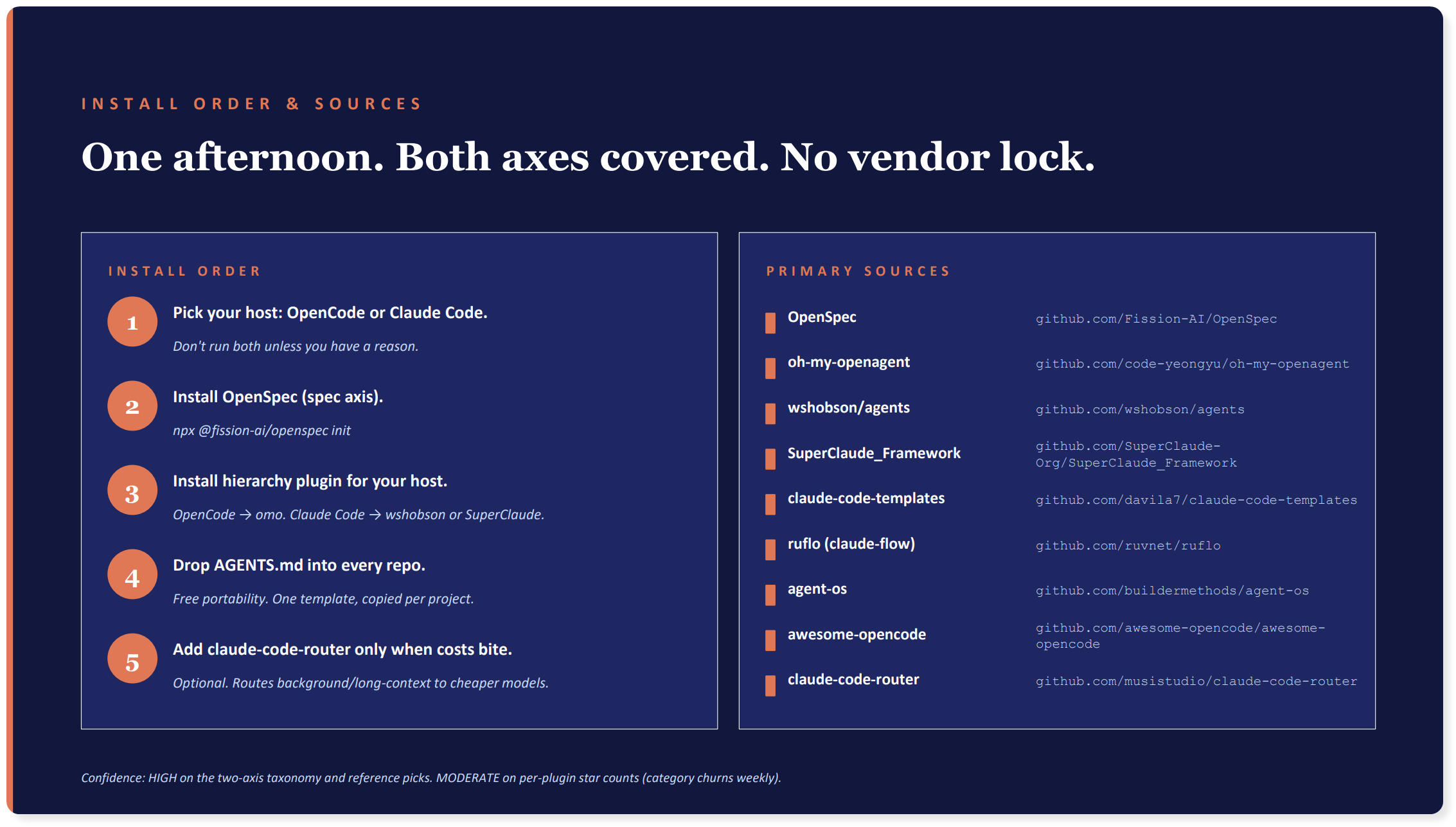
Go home Claude, go home
Claude, on the other hand, let's be honest... was a pig with lipstick. Even after the 2nd prompt, it still failed to distinguish between the spec-driven and agent harness tools in any way. No actionable next steps, and a recommendation that was split between three 'tiered' scenarios that still left me wondering how to layer them.
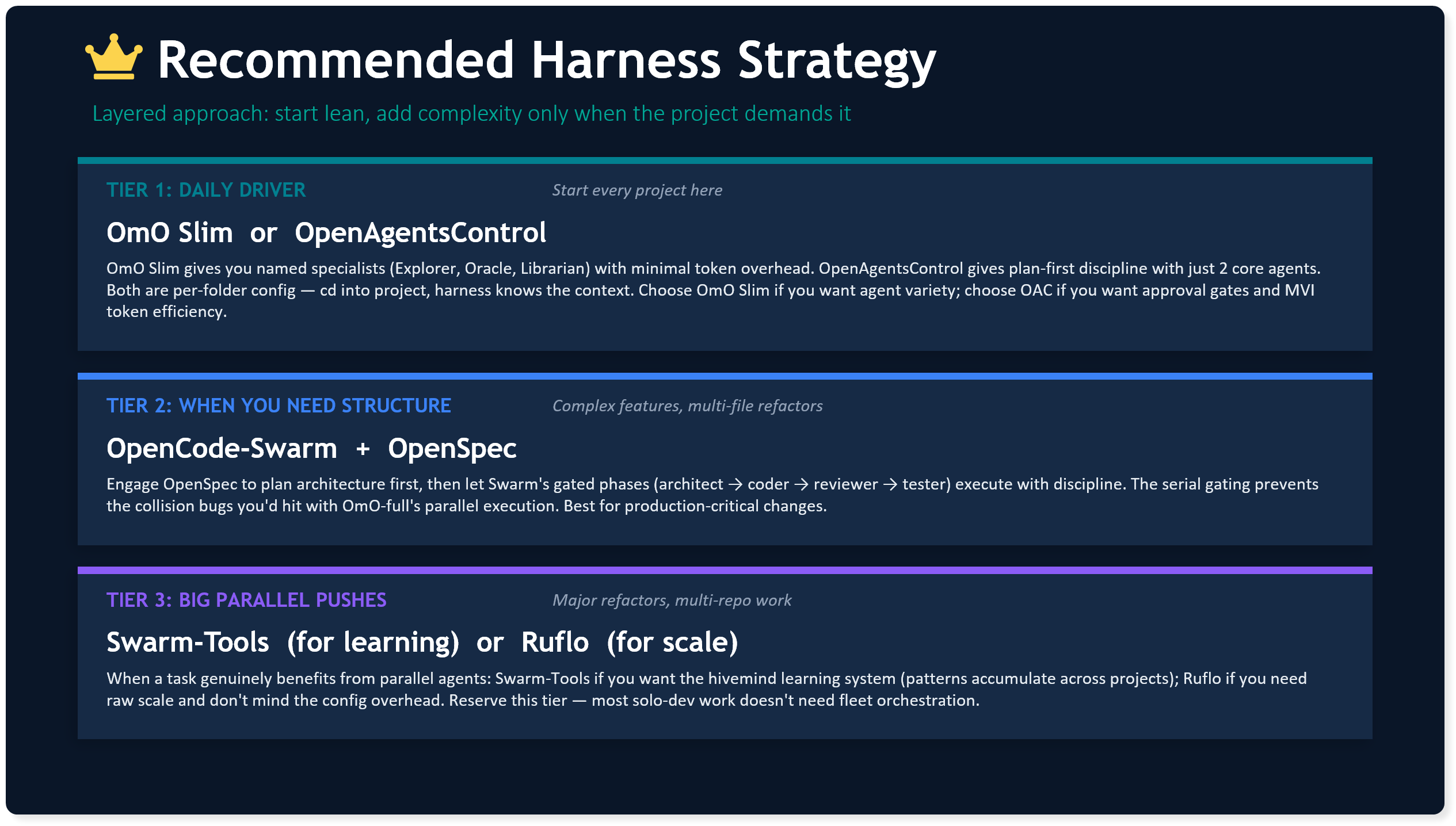
Oh, and regardless of this. Anthropic as a company still win, because whether you follow the hype and want the point solution direct from them because of the brand, or you're tied in to the Microsoft-ecosystem and end up paying for M365 Copilot, Anthropic are behind the scenes, powering both, and getting paid either way.
Final Word
Holly from Red Dwarf in Series 2, Episode 5 said it best...